Text Decoration
You have just learned about display properties block and inline. Elements that are block take up the full width of the line so the next element starts on a new line below. On this page we discuss several formatting tags that are inline. You wouldn't normally want some text that you mark as bold or italic to take up the full width. You likely want the text to remain inline with the surrounding text. The text decoration tags described on this page have display property inline.
Bold
Bold text can be marked with either <b> </b> tags or <strong> </strong> tags.
Italic
Italic text can be marked with either <i> </i> tags or <em> </em> tags.
Super and Subscript
Superscript text can be marked with <sup> </sup> tags and subscript text with <sub> </sub> tags.
<p>This is <b>bold text</b> and this is not.</p>
<p>This is <i>italic text</i> and this is not.</p>
<p>This is <sub>subscript</sub> and <sup>superscript</sup>.</p>
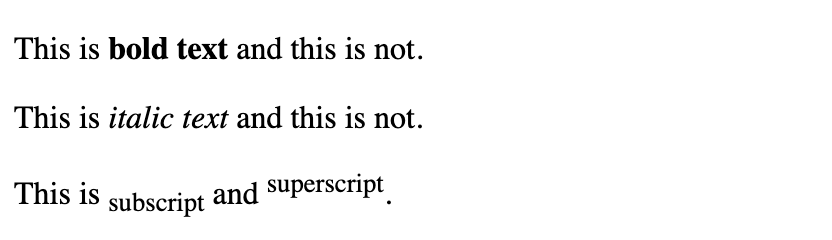
Notice in the above example that each line is wrapped in paragraph tags. Paragraph tags are block elements. Without the paragraph tags, the text would be a continuous stream of text with no break.
MDN Docs on Difference between the HTML5 emphasis vs italicise tags.