Text Styling
Similar to when word processing in Word, which uses local fonts. If I specify to use a font that I have on my computer, I can't count on that font being available on the user's computer viewing my page.
font-family
The best practice is to supply a ‘web font stack’— a series of alternate fonts. We do this with the font-family property which takes a font stack for the value.
font-family: Cambria, Georgia, “Times New Roman”, serif;
font units
- px - absolute unit in pixels
- % - percentage relative to the parent; ie. width: 50% - half the width of the parent
- em - 1em equals the font-size of the parent. 2em's is twice the font- size of the parent, etc.
- rem - Relative to the root html element's font-size.
Network Fonts
Fonts are available online through sites like Google Fonts. You can choose from many fonts available for free online and use them on your website. To implement:
-
Browse to find fonts you want to use and select
Get font. -
Select
Get embed code. -
Copy the links to the fonts and paste them in the
<head>of your html file. -
Copy the CSS class for the font and paste it into your CSS file.
-
Set the class attribute of the elements that will use this font.
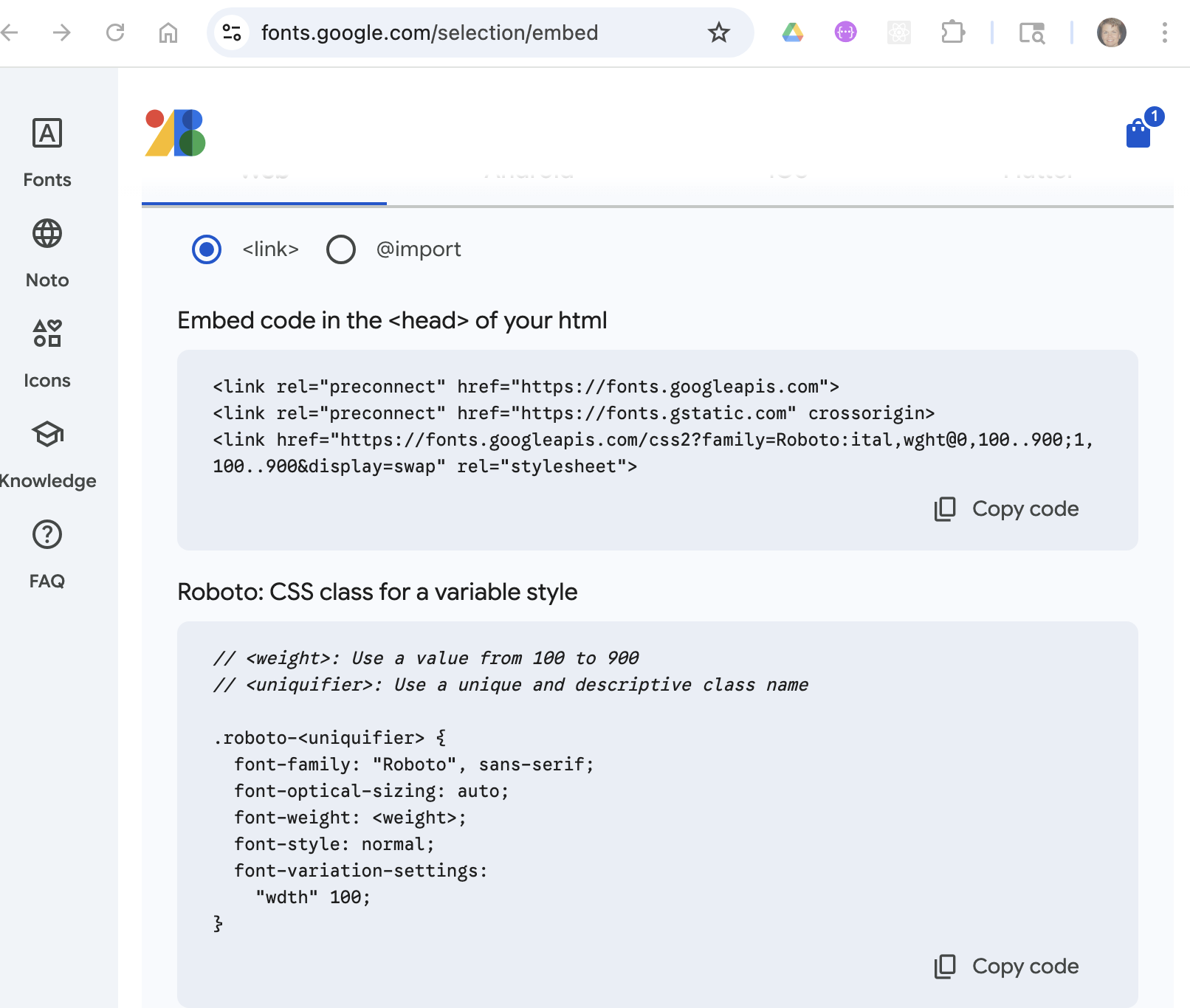
Paste the links to the fonts in the <head> of the html file(s) where it will be used.
<head>
    <meta charset="UTF-8">
    <meta http-equiv="X-UA-Compatible" content="IE=edge">
    <meta name="viewport" content="width=device-width, initial-scale=1.0">
    <link rel="preconnect" href="https://fonts.googleapis.com">
    <link rel="preconnect" href="https://fonts.gstatic.com" crossorigin>
    <link href="https://fonts.googleapis.com/css2?family=Merriweather:wght@300&family=Montserrat&family=Sacramento&display=swap" rel="stylesheet">
    <link rel="stylesheet" href="css/style.css">
    <title>My Site Title</title>
</head>
Add the class to your css:
.roboto-headings {
        font-family: "Roboto", sans-serif;
        font-optical-sizing: auto;
        font-weight: 500;
        font-style: normal;
        font-variation-settings: "wdth" 100;
}
or add the font-family to a class or classes:
.my-subheadings {
    font-family: "Roboto", sans-serif;
}
then use the classes in your html:
<h2 class="roboto-headings">
    Leadership and Experience
</h2>

<h4 class="my-subheadings">
    My Project
</h4>