Proxy - middleware
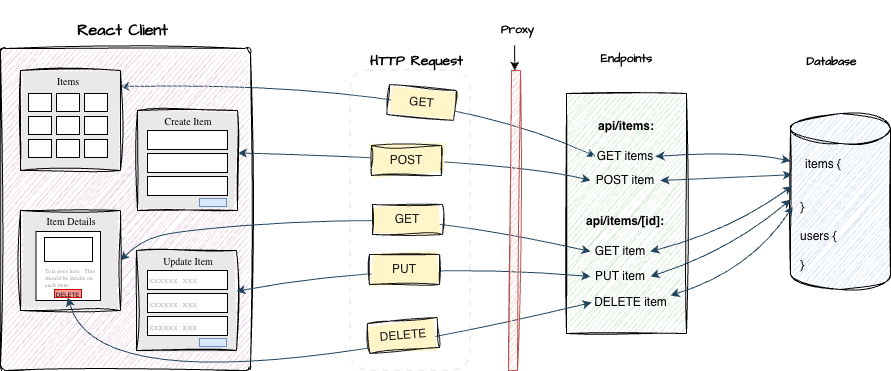
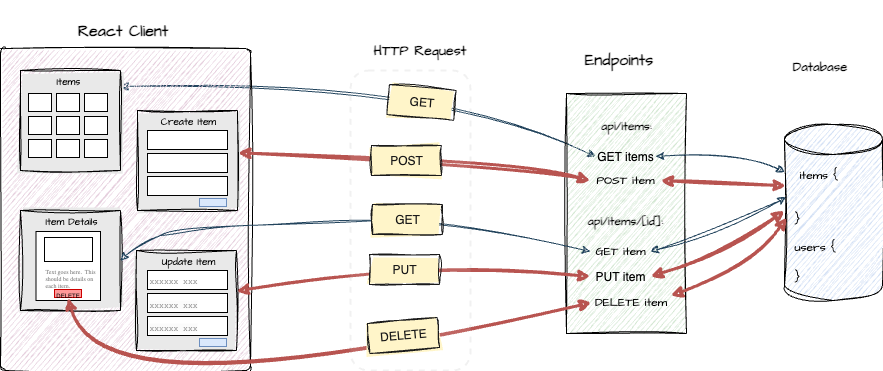
Proxy (formerly called middleware) in Next.js allows you to run code between a client HTTP request and your route handler. It acts as a checkpoint or filter that can:
-
Intercept and inspect the request
-
Verify authentication (session/token)
-
Enforce authorization rules
-
Modify or reject the request before it reaches the server endpoint
Proxy is where route-level authorization happens — ensuring that only permitted users can access protected parts of your application.
Access Control
Proxy is commonly used in to:
-
Verify user sessions (authentication)
-
Check roles or permissions (authorization)
-
Redirect unauthenticated requests
-
Prevent unauthorized access
If a request is authorized, we allow it to continue.
If not, we redirect or reject the request.
The middleware.ts file was renamed to proxy.ts with version 16 of Next.js.
Proxy setup
In a Nextjs application, we set up proxy by creating a file called
proxy.ts at the project root.
import { NextResponse } from "next/server";
import { auth } from "@/auth";

export default auth((request) => {
   const { pathname } = request.nextUrl;

   const isAuthenticated = !!request.auth?.user;

   const publicPaths = ["/", "/show-item", "/show-items", "/api/items"];

    if (!isAuthenticated && !publicPaths.includes(pathname)) {
        return NextResponse.redirect(new URL("/", request.url));
    }

    return NextResponse.next();

});

export const config = {
  matcher: [
    "/create-item/:path*",
    "/update-item/:path*",
    "/delete-item/:path*",
  ],
};
Here's a breakdown:
auth((request) => { ...})
- wraps the proxy function
- retrieves the session
- attaches the session to
request.auth
request.auth?.user:
- contains the authenticated user (if logged in)
undefinedif not authenticated
- Route protection logic
- If user is not authenticated -> redirect
- Otherwise -> allow request to continue
NextResponse.next()
- Allows the request to proceed to the route handler
Matcher
The matcher controls which routes the proxy will be applied to.
It acts as a filter, ensuring that the
proxy only executes for specific paths or patterns.
export const config = {
  matcher: [
    "/create-item/:path*",
    "/update-item/:path*",
    "/delete-item/:path*",
  ],
};
The above ensures:
- Proxy runs only for matching routes
- Skips all other routes
Matcher example:
"/create-item/:path*"
Matches:
/create-item/create-item/123/create-item/edit
Without a matcher, proxy would run on every request. This affects performance and behavior. With a matcher, you target only protected routes and public routes remain unaffected.